
Employee recognition matters. When teammates feel appreciated, they're more engaged, more productive, and more likely to stick around. But recognition often falls through the cracks—managers get busy, good work goes unnoticed, and people feel undervalued despite their contributions.
Kudos in Slack solve this by making peer recognition instant and visible. Instead of waiting for annual reviews or hoping managers notice everything, teammates can give shout-outs and recognize each other in real-time, right where work happens.
What are Kudos?
Kudos are short messages of appreciation sent between colleagues—essentially shout-outs for a job well done. Think of them as digital high-fives—quick acknowledgments that someone did something great. Unlike formal awards or bonuses, kudos are lightweight and frequent. They're meant to capture everyday wins: helping a teammate debug an issue, staying late to meet a deadline, or simply being a reliable presence on the team.
The best kudos systems tie recognition to company values, making it clear not just that someone did good work, but how that work reflects what the organization cares about.
Does Slack Support Kudos Natively?
Slack has a basic "Reacji" feature that lets you react to messages with emojis, and some teams create manual #kudos or #shoutouts channels where people post appreciation messages. But these approaches have limitations:
- No structure or consistency in how recognition is given
- No way to track recognition patterns over time
- No connection to company values
- No leaderboards or analytics
- No option for anonymous recognition
- No controls over who can give kudos or how often
For teams serious about building a recognition culture, a dedicated kudos app like OpenCulture provides the structure and features that make peer recognition actually work. If you're weighing options, see our roundup of the best Slack apps for employee recognition, or compare OpenCulture head-to-head as a HeyTaco alternative or Bonusly alternative.
Setting Up a Kudos Channel in Your Workspace
Before team members can start giving kudos, you need to set up and configure kudos for your workspace.
Step 1: Install the app
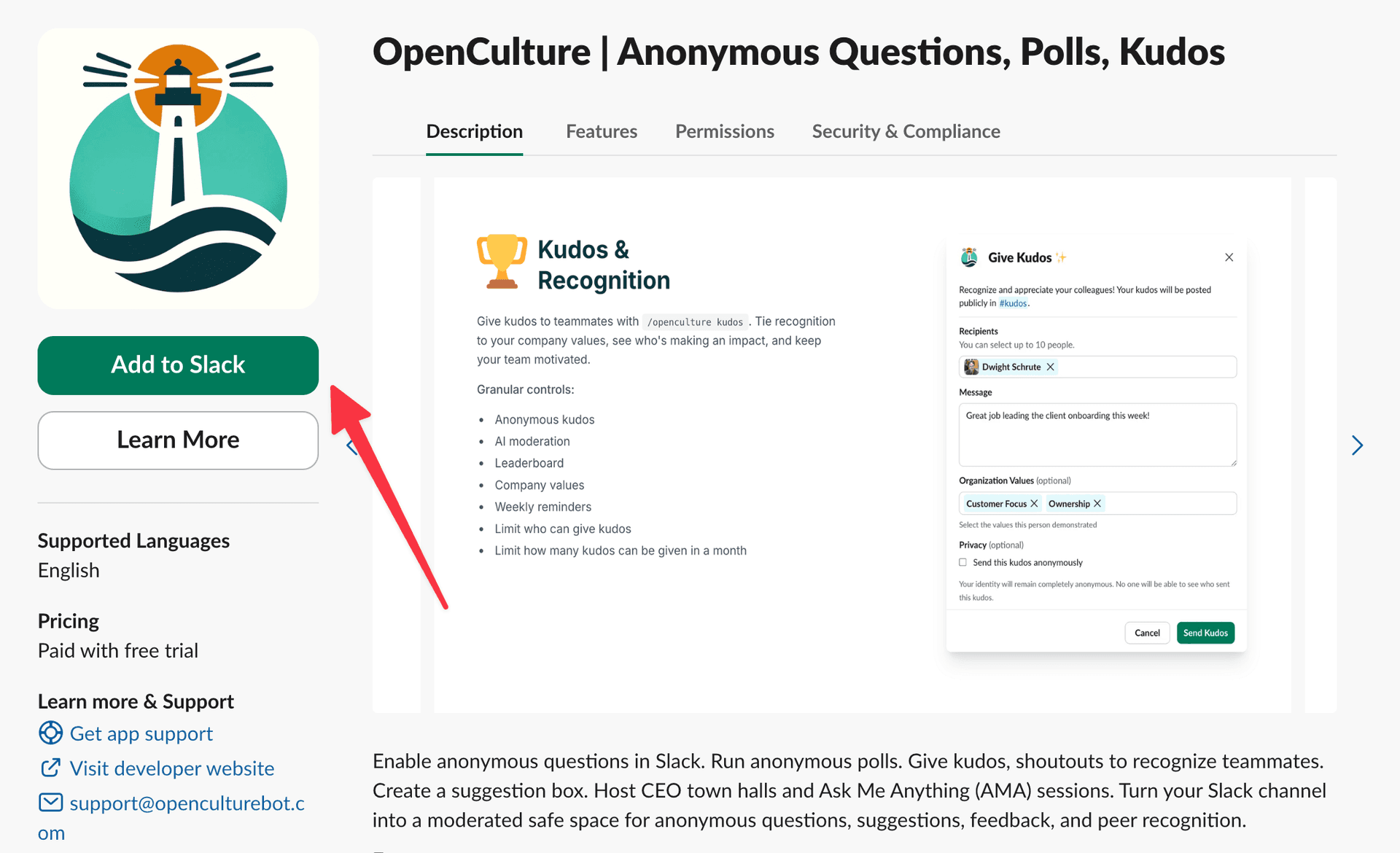
Head over to OpenCulture in the official Slack App Marketplace and click the "Add to Slack" button. If you don't have admin permissions, ask your Slack admin to install it for your workspace.
Step 2: Configure kudos for a channel
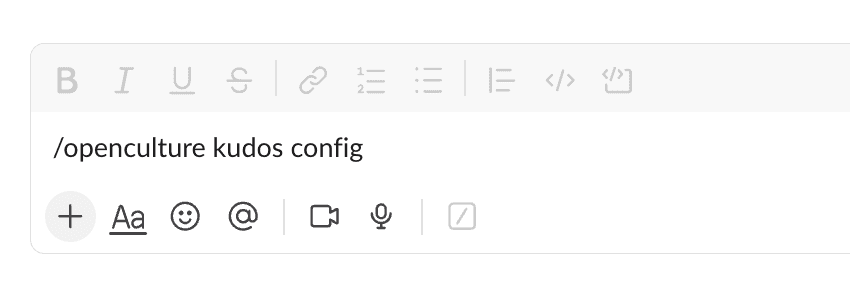
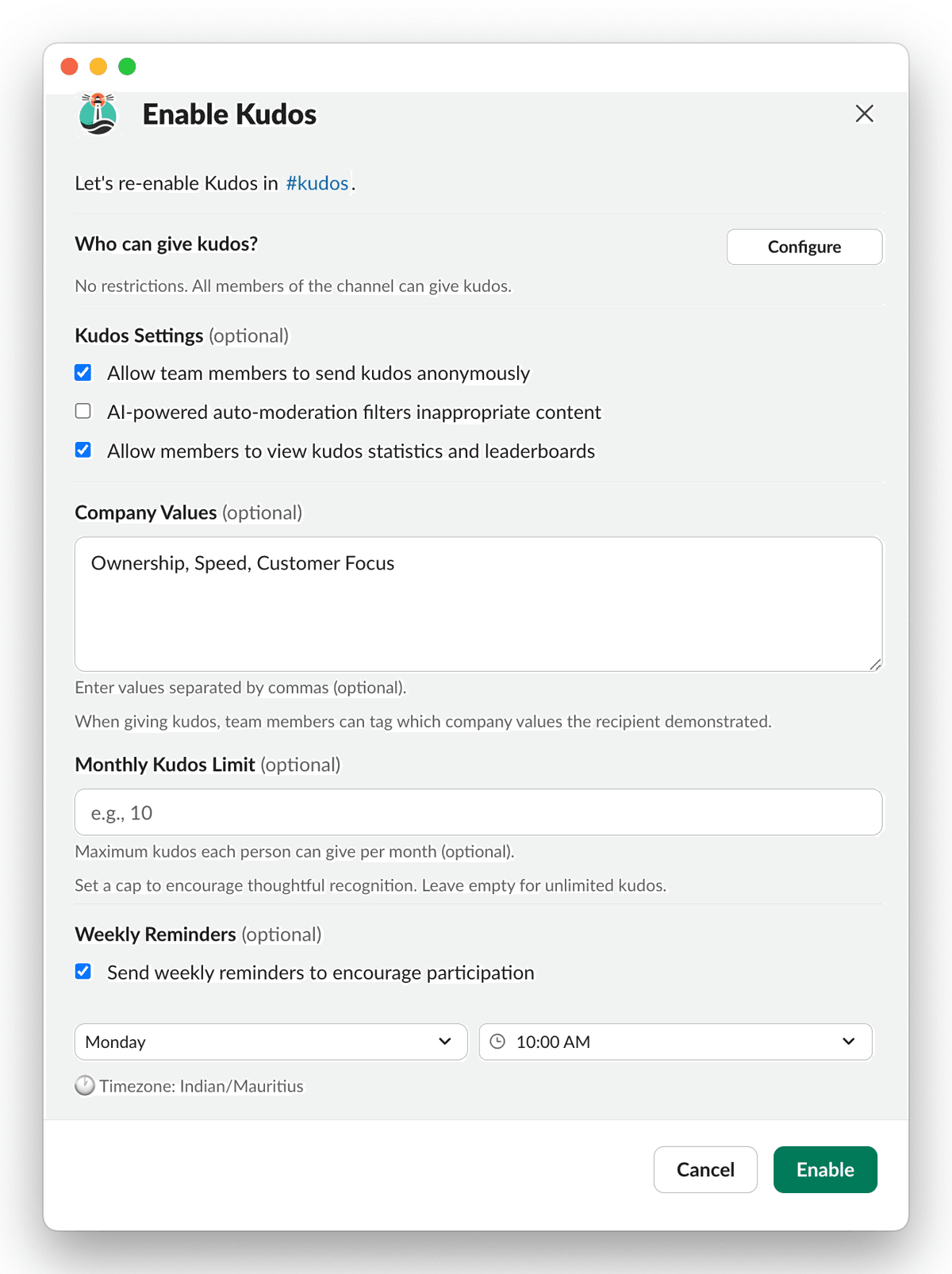
Go to the channel where you want kudos to be posted (or create a dedicated #kudos channel) and type /openculture kudos config. This opens the kudos configuration screen where you can set up all the options for your team.
Configuration Options
The configuration screen lets you customize:
Who Can Give Kudos: Control who has permission to send kudos—everyone in the workspace or specific user groups. Most teams benefit from letting everyone participate since peer recognition is most powerful when it's truly peer-to-peer.
Anonymous Kudos: When enabled, team members can choose to send kudos without revealing their identity. This is useful when someone wants to recognize a manager without it feeling like they're currying favor, or when introverted team members feel more comfortable expressing appreciation privately.
Note: To avoid gaming the system, users cannot give kudos to themselves even when sending anonymously.
Moderation: To prevent abuse of anonymity, OpenCulture includes AI-powered moderation that automatically rejects inappropriate content before it's posted to the channel.
Leaderboard Access: When enabled, all participants can view the kudos leaderboard. When disabled, only the channel configurer can see it. You may want to disable access if you think it could lead to unhealthy competition or gaming behavior.
Company Values: Define your organization's core values (like "Customer Focus," "Ownership," "Teamwork," or "Innovation") and let people tag kudos with the values demonstrated. This reinforces what behaviors the company cares about and helps new employees understand culture through real examples.
How Many Kudos Can Each Person Give: Set a maximum number of kudos each person can give per month. Limits prevent inflation (when kudos are unlimited, they can become meaningless), encourage thoughtfulness, and ensure recognition is distributed. Common limits range from 5-20 kudos per person per month.
Weekly Reminders: Enable automated reminders to encourage team members to participate in giving kudos. You can set the day and time for reminders to go out, helping maintain a consistent recognition culture without manual nudging.
How to Send Kudos
Once kudos is configured for your workspace, anyone with permission can start recognizing their teammates.
Step 3: Give kudos
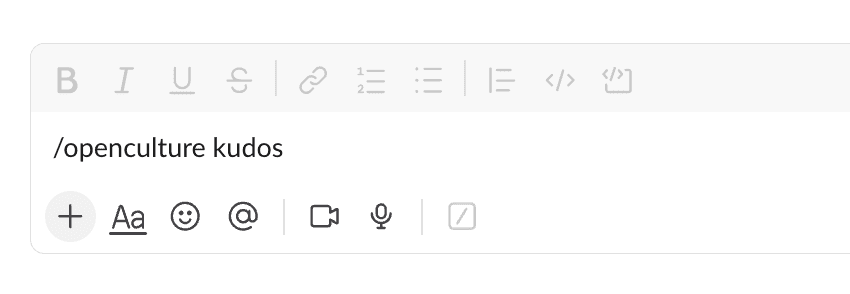
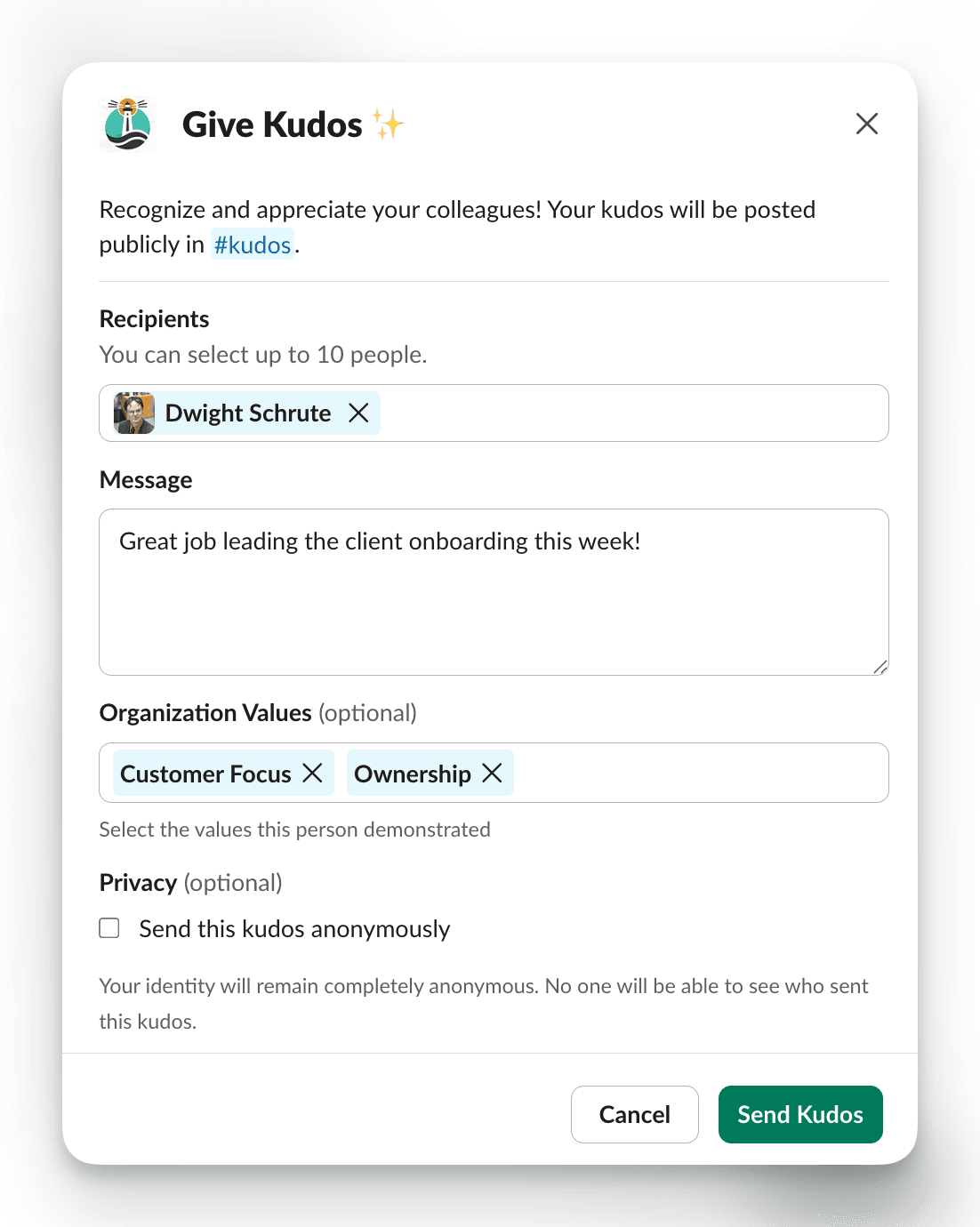
Type /openculture kudos in the channel where kudos was configured to open the kudos form.
Step 4: Fill in the details
The kudos form lets you:
- Recipients: Select up to 10 people to recognize at once
- Message: Write what they did and why it matters. Stuck on wording? Browse 50 kudos message examples for inspiration.
- Organization Values (optional): Tag which company values they demonstrated
- Privacy (optional): Send the kudos anonymously if enabled by your admin
Step 5: Send and celebrate
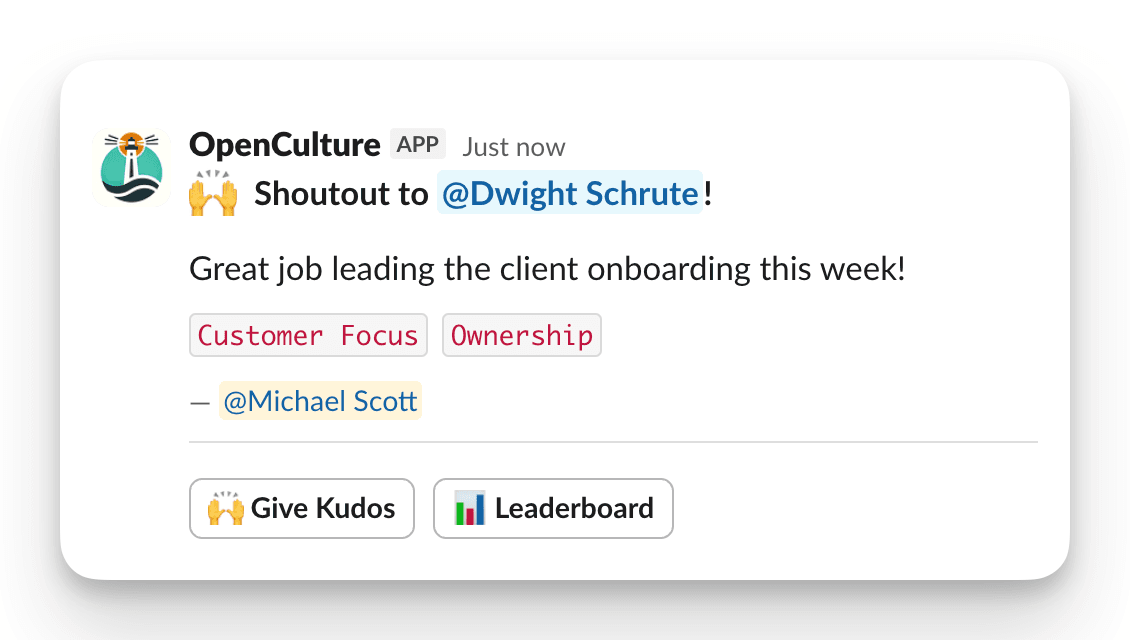
Click Send Kudos and your recognition is posted to the designated kudos channel. The recipient gets notified, and the whole team can see and react to the appreciation.
The Kudos Leaderboard
Access the leaderboard by clicking the "Leaderboard" button on any kudos message in the channel. The leaderboard shows:
- Your Stats: How many kudos you've given and received
- Channel Leaderboard: Total kudos sent, number of participants, and recipients
- Top Givers: Who's recognizing teammates the most
- Top Individual Receivers: Who's being recognized the most
You can filter the leaderboard by time period (Last 30 days, 90 days, or 1 year) and by organization values to see recognition patterns for specific behaviors.
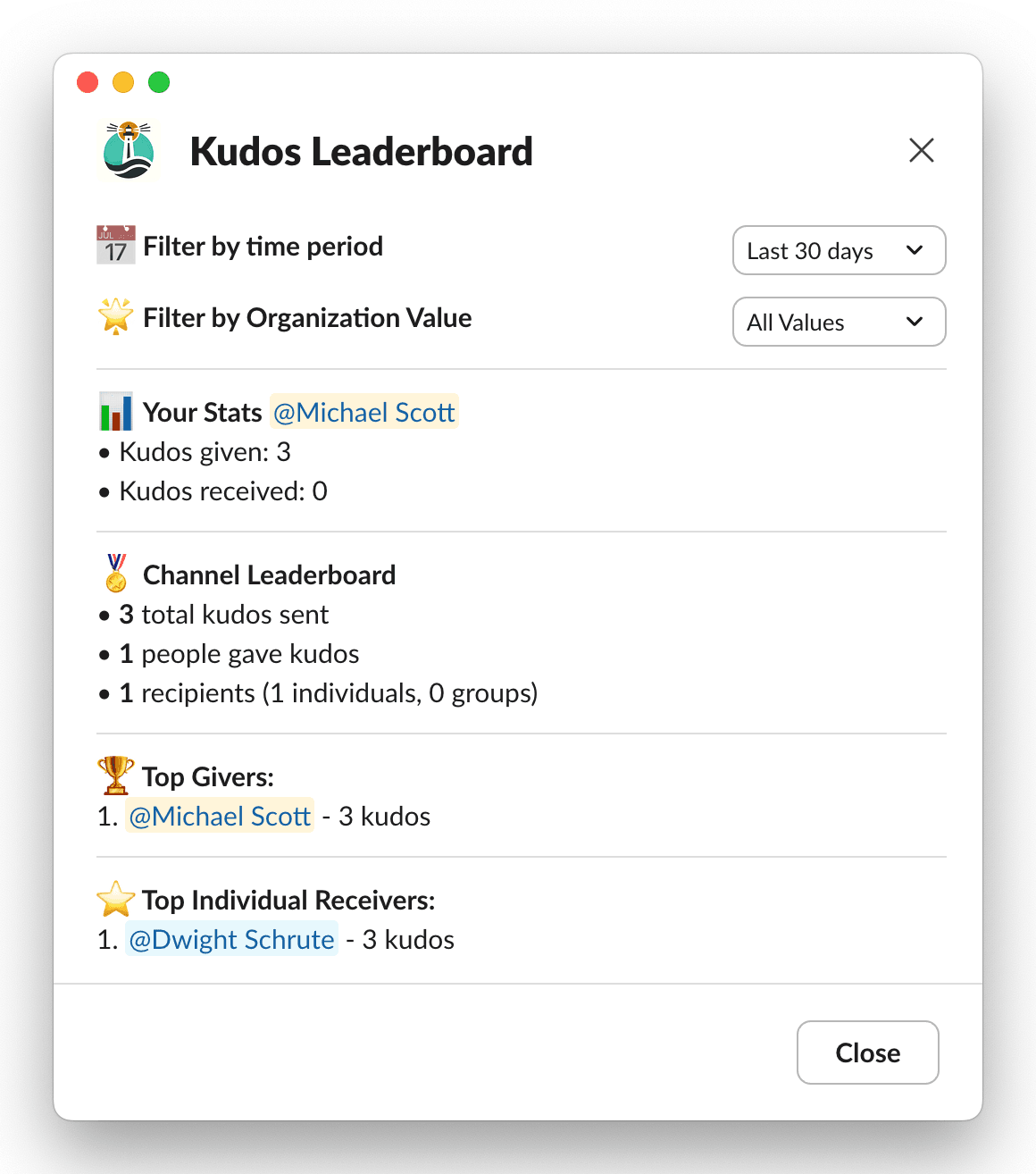
The leaderboard is a great way to identify culture champions and ensure recognition is distributed across the team, not concentrated on a few people.
When to Send Kudos
Kudos and shout-outs work best when they're specific and timely. Here are situations that deserve employee recognition:
Project wins: "Kudos to Sarah for leading the product launch—her attention to detail caught three critical bugs before release."
Helping others: "Thanks to Mike for staying late to help me debug that API issue. Couldn't have shipped without you."
Going above and beyond: "Kudos to the entire support team for handling the outage so professionally. Customers were impressed by the communication."
Living company values: "Shoutout to Priya for pushing back on the timeline—that's real Ownership in action."
Everyday reliability: "Kudos to James for always having thorough code reviews ready. Makes everyone's work better."
Onboarding help: "Thanks to Lisa for being such a patient mentor during my first month. Made a huge difference."
Best Practices for Peer Recognition
Be specific: "Great job!" is nice but forgettable. "Your presentation to the board was incredibly well-researched and changed how they think about our roadmap" is memorable.
Be timely: Send kudos soon after the behavior you're recognizing. Recognition loses impact when it comes weeks later.
Recognize effort, not just outcomes: Someone who tried something bold that didn't work out still deserves recognition for the initiative.
Spread it around: Pay attention to who's getting recognized and who isn't. Quieter contributors often do essential work that goes unnoticed.
Connect to values: When you tag company values, you're teaching everyone what those values look like in practice.
Lead by example: If you're a manager, your recognition patterns set the tone. Make sure you're giving kudos regularly and thoughtfully.
Try It Yourself
OpenCulture offers a 14-day free trial with full kudos functionality. Install it with one click and start building a recognition culture in your Slack workspace today.
Employee recognition doesn't have to be complicated. With the right tools, peer-to-peer shout-outs become a natural part of how your team works—and that changes everything about how people feel at work.
Frequently Asked Questions
Does Slack have a built-in kudos feature?
Slack does not include a dedicated kudos or employee-recognition system. You can post a normal message or use emoji, but a Slack recognition app adds structured kudos, company values, and participation tracking.
How do I send kudos with OpenCulture in Slack?
Configure kudos in a channel with /openculture kudos config. After setup, run /openculture kudos, choose the teammate or teammates, write a specific message, and post it to the channel.
What should a good kudos message include?
A strong kudos message names the person, describes the specific action they took, and explains the positive impact. Timely and concrete recognition is more meaningful than a generic 'great job.'
Can Slack kudos be tied to company values?
Yes. OpenCulture can let teams tag kudos with configured company values, making everyday recognition reinforce the behaviors the organization wants to encourage.


